
How it works
The front desk that never closes.
Members book at midnight. Guests book from the parking lot. Your staff see every booking on one court sheet in the morning.
One booking, three places
-
A member books on their phone
They pick a court and a time from any phone or computer browser.
-
It lands on the court sheet
The booking holds the court right away. Two people can't book the same court at the same time.
-
The desk sees it
Staff see the whole day on one court sheet, and can move or cancel any booking.
Members
Members book in a minute, without calling.
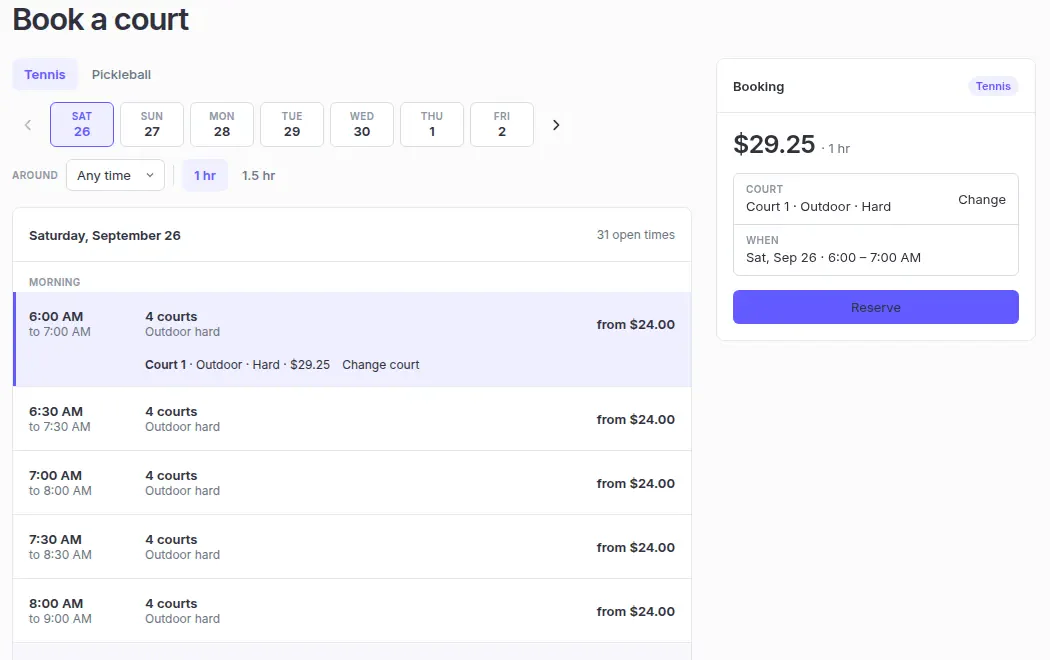
Open times show by court and sport. Members pick a court, pick a time, and book. No app to download. It works in any phone or computer browser.
Guests
Visitors see open courts without calling.
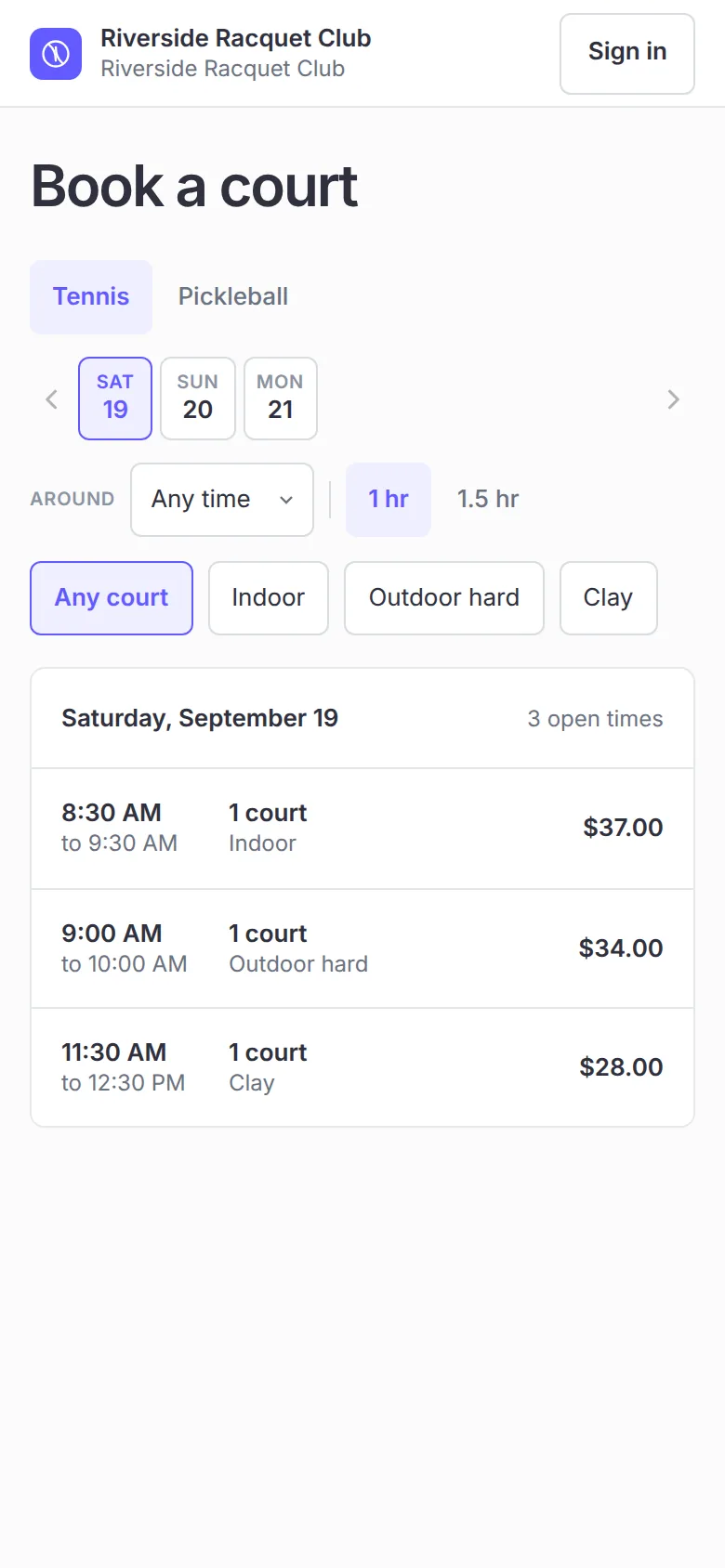
Your club gets its own booking page. A visitor sees open times with the court, the sport, and the price.
Coming soon: visitors enter their name and email, pay by card, and get a confirmation email. The money will go straight to your club's Stripe account, and Tennisbook takes no cut. Card payments run in Stripe test mode today.
Turn the booking page on when you're ready: set your prices and finish your Stripe setup.
The desk
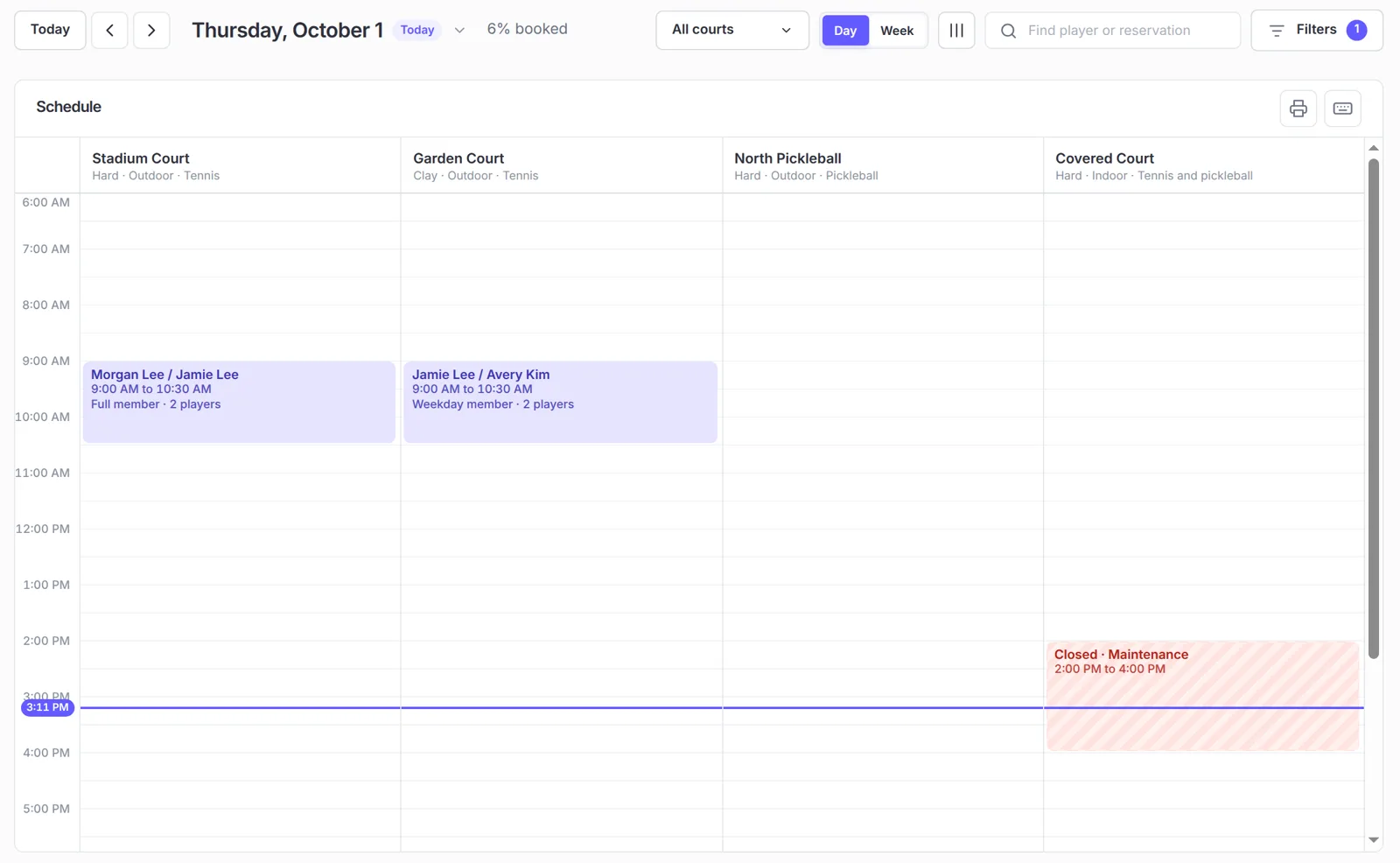
The desk sees the whole day at a glance.
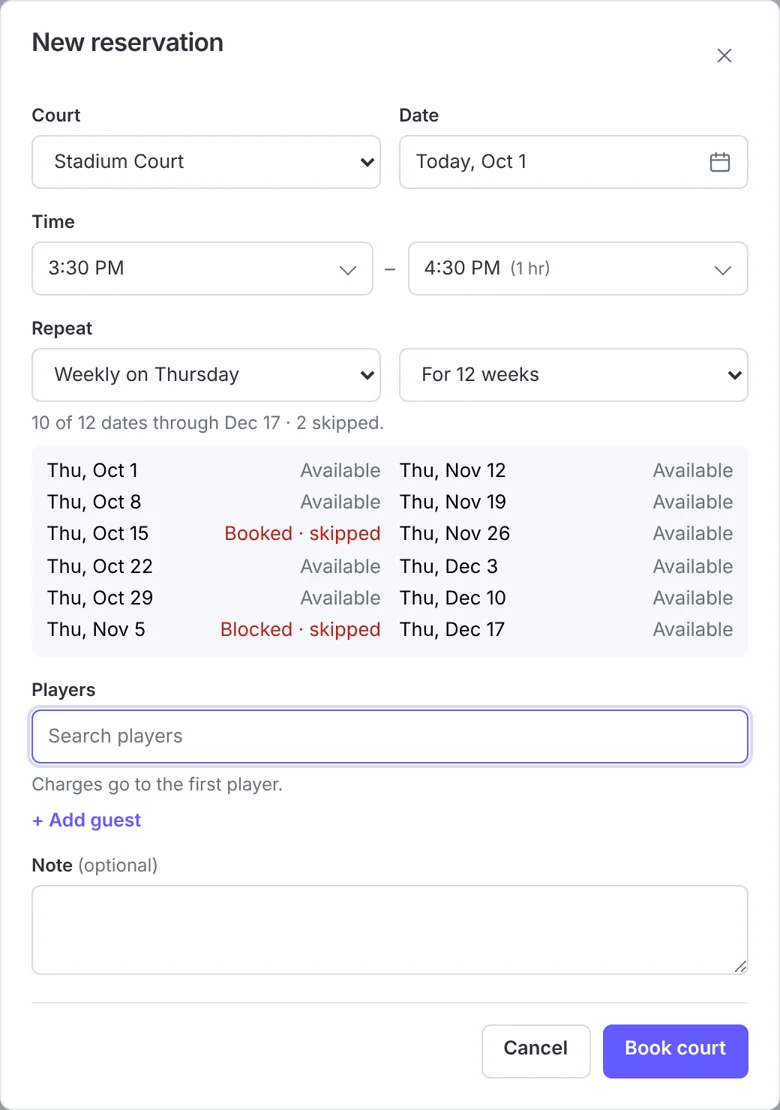
Every booking is on one court sheet. Staff can book, move, or cancel any booking. They can set up a standing booking for up to 12 weeks and close a court, or a whole row of courts, for weather, resurfacing, or a tournament.
Tennis and pickleball
Two sports, one court, no clashes.
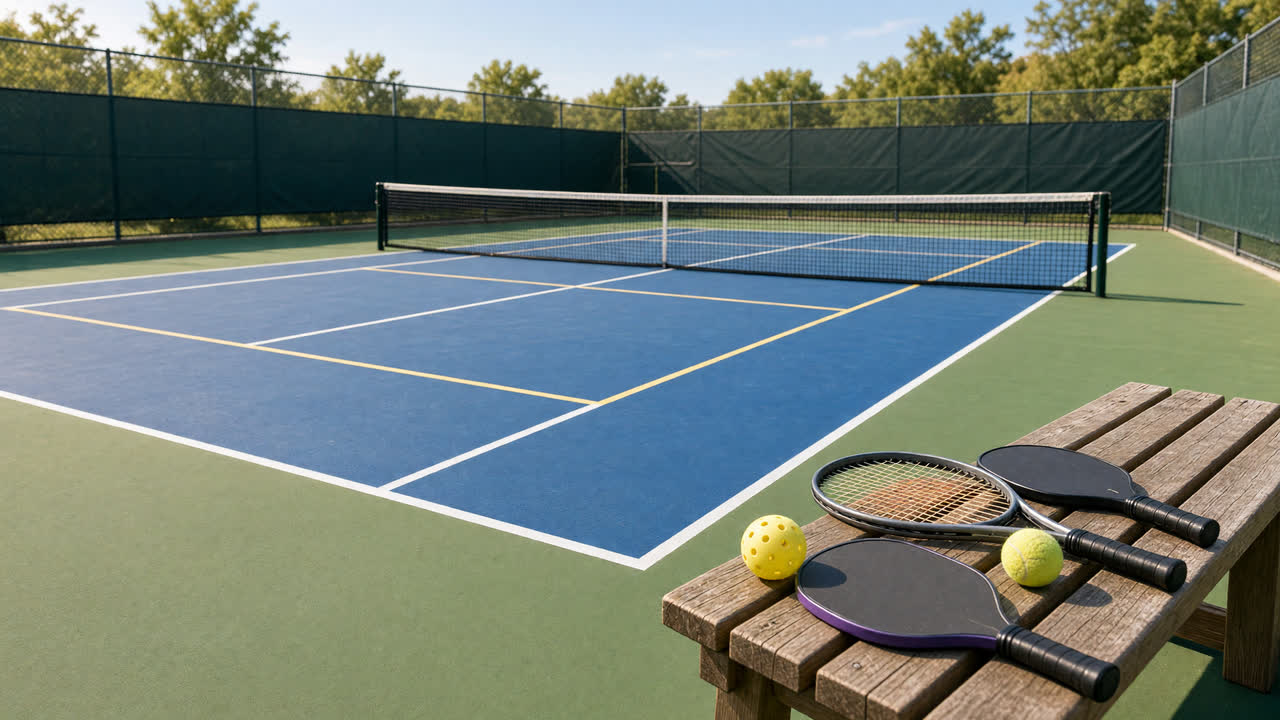
Each court can be tennis, pickleball, or both, with its own rates for each sport. Members switch between sports with a tap. A booking in either sport holds the court for both. Padel isn't supported.
Prices and booking times
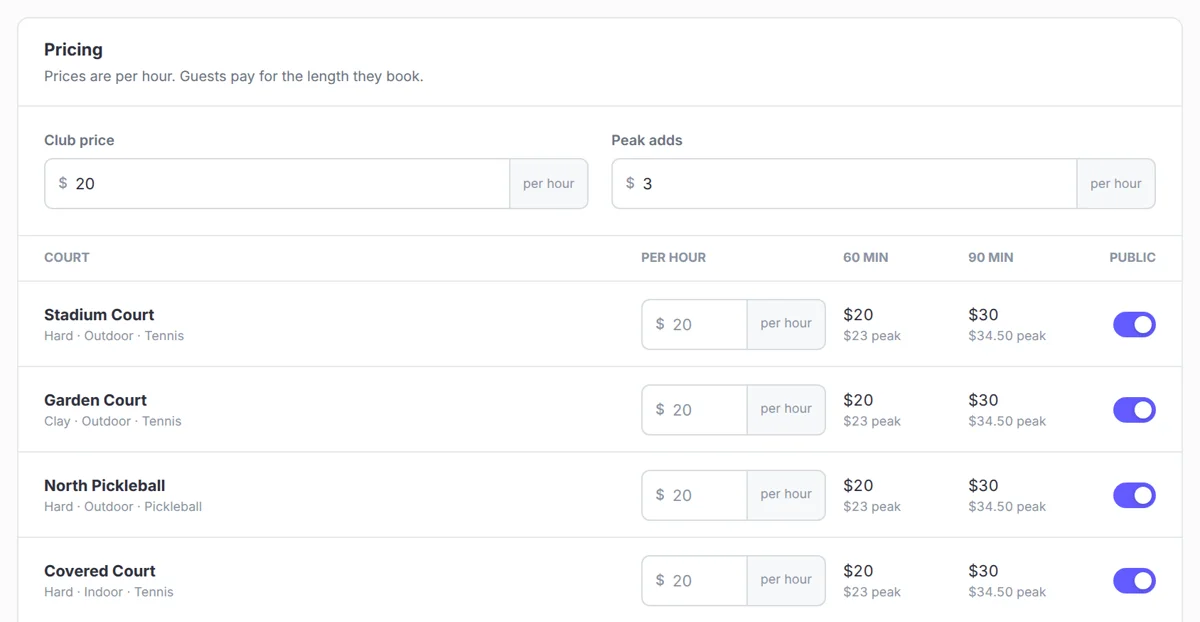
Saturday at 9:00 can cost more.
- Set prices by court, sport, and booking length, with an optional extra for peak hours.
- Choose how far ahead members can book.
- Set how much notice you need, so nobody books the court five minutes out.
- Choose the booking lengths you offer, like 60 or 90 minutes, and when bookings can start.
Getting started
Up and running without a sales call.
Create your club yourself. You get your own club page and become its admin. Add courts, set hours and prices, and invite members and staff by email. Up to 128 courts, unlimited members.
Coming soon
What's coming next.
Not yet
Live card payments, memberships and member sign-up, members canceling their own bookings, waitlists, reminder and cancellation emails, guest fees and split payments, lessons and clinics, rosters, reports, and front-desk sales.
Not planned yet
More than one location, padel, a phone app, text alerts, and court door or lock control.
A feature shows up on this page when your club can use it. Not before.
See your own courts in it.
Create your club, add your courts, and book the first one yourself.